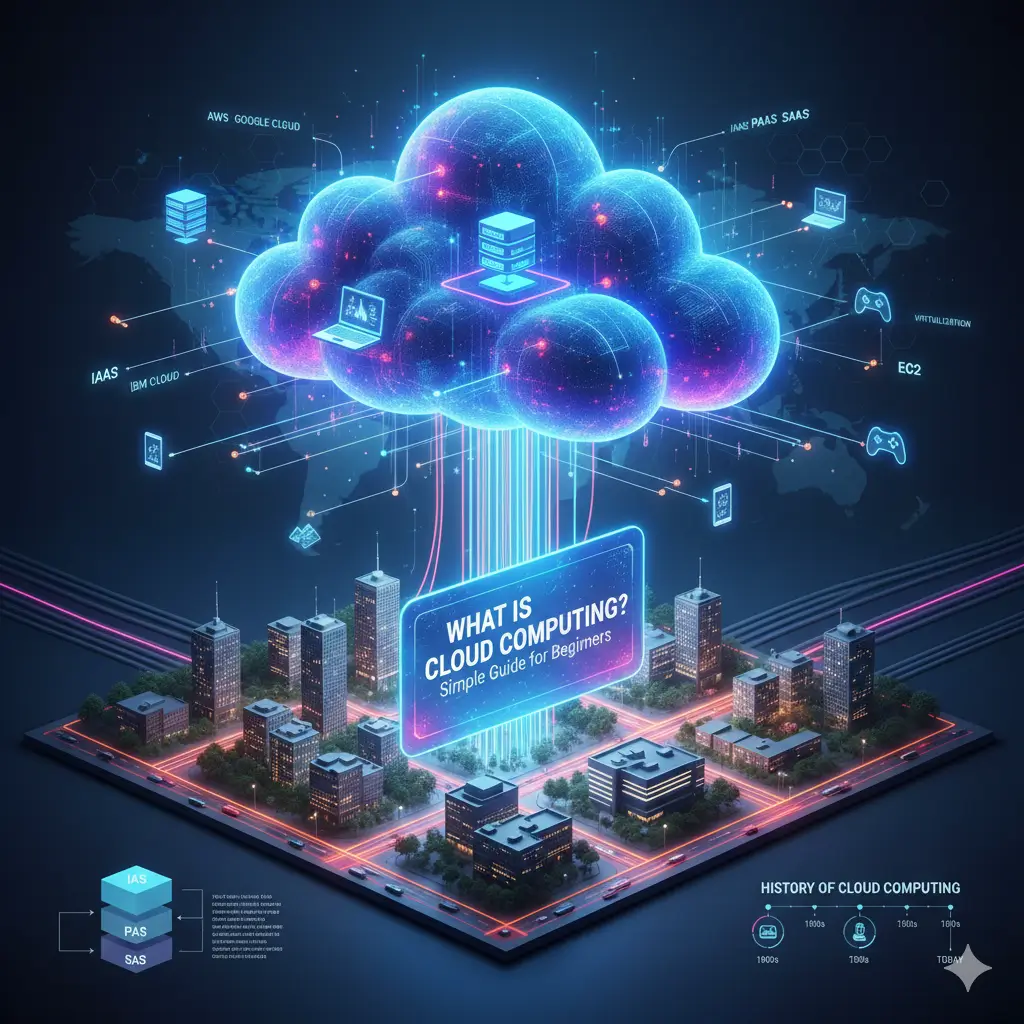
What is Cloud Computing? Simple Guide for Beginners
Cloud computing is the delivery of computing services, such as servers, storage, databases, networking, and software, over the internet on a paid basis. Instead of managing their own physical IT infrastructure, individuals and organizations can access these resources from remote data centers, achieving flexibility, efficiency, and scalability.
In today’s digital world, cloud computing is one of the most transformative technologies, shaping the way individuals and businesses store, process, and access data. From streaming services like Netflix to online collaboration tools like Google Workspace, cloud computing powers them all.
Understanding the Concept of Cloud in Cloud Computing
“Cloud” refers to a network of remote servers accessed over the Internet that store and manage data, run applications, and provide services such as streaming, email, and online storage. Instead of keeping data and software on a local device, they are stored and processed on these remote servers, allowing users to access them from any device with an Internet connection. When we say “cloud in cloud computing,” we’re basically talking about accessing computing power and storage from anywhere, at any time.
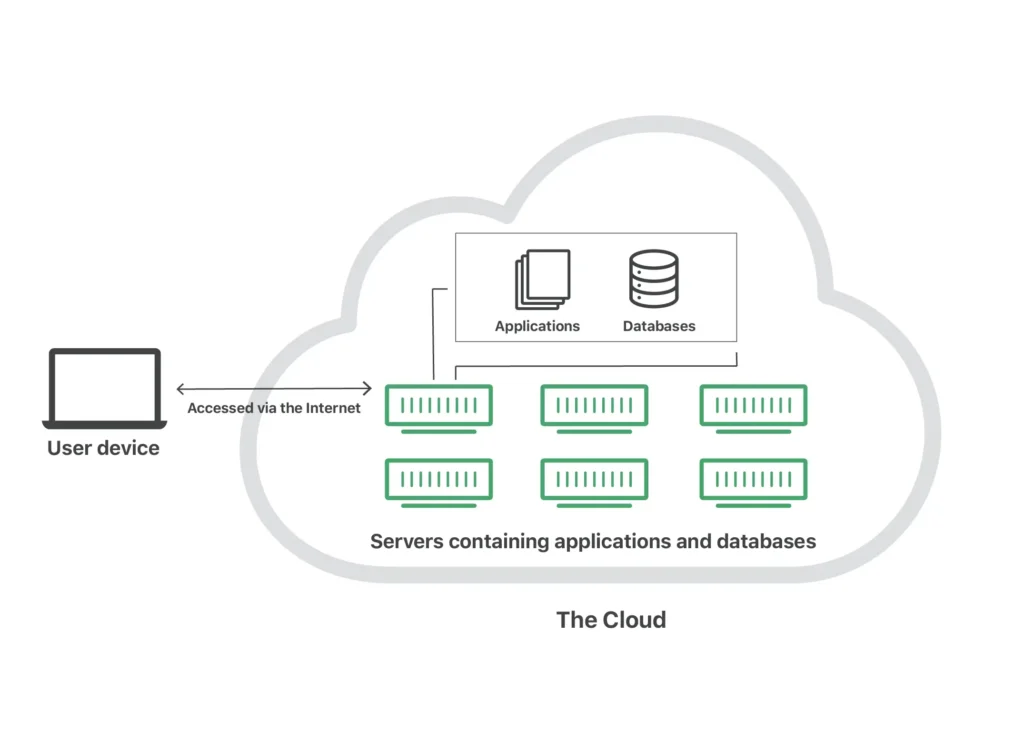
Unlike traditional computing, where you purchase and maintain hardware, the cloud and cloud computing model allows users to rent resources as needed. This on-demand flexibility is what makes the concept of cloud c (short for cloud computing) revolutionary. In short, the cloud is the environment or infrastructure that hosts resources, while cloud computing is the service that delivers these resources over the internet. In simple terms:
Cloud = infrastructure.
Cloud Computing = the process of using that infrastructure for tasks such as storage, analytics, and software hosting..
How Cloud Computing Works: Architecture & Core Features
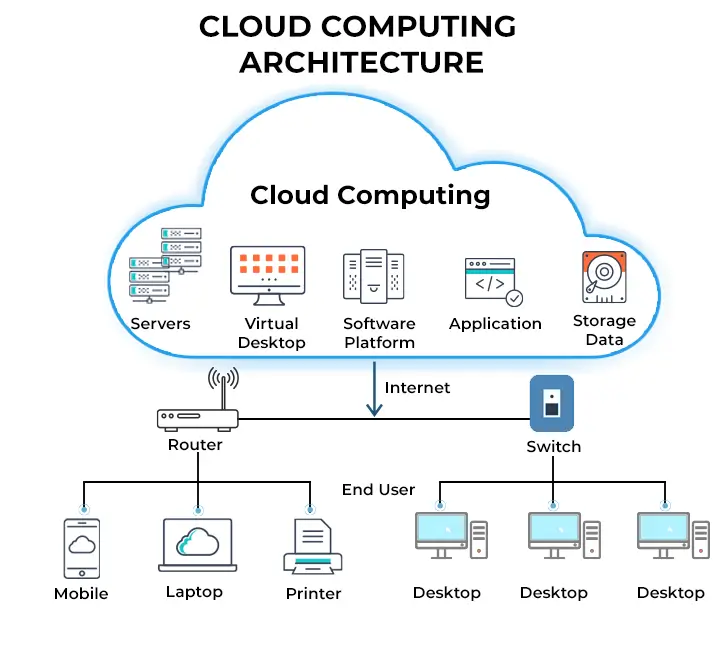
Cloud computing architecture relies on a few key principles:
- Front-End: This is the part the user interacts with for example- your web browser, mobile app, or application interface.
- Back-End: This is the actual cloud for example- the servers, storage (cloud based data storage), databases, and computing resources managed by the provider.
- Network: The internet is the high-speed connection between the front-end and back-end.
The back-end makes extensive use of virtualization and cloud computing. Virtualization software allows a single physical server to be divided into multiple separate virtual machines (VMs). This enables Resource Pooling, where the provider’s computing resources are shared among multiple users (multi-tenancy) while maintaining privacy and security.
Types of Cloud Computing (Service Models of Cloud Computing)
Cloud providers offer a variety of cloud offerings or service models, each designed to meet different needs. There are three main service models :
- IaaS (Infrastructure as a Service): This is the most basic category of cloud computing services. With IaaS, you rent IT infrastructure—servers, virtual machines (such as EC2 in Amazon or EC2 in AWS), storage, network, and operating systems—from a cloud provider. You manage your applications and data, but the provider handles the underlying infrastructure.
- PaaS (Platform as a Service): PaaS provides a ready-to-use platform that allows developers to build, run, and manage applications without the complexity of building and maintaining the infrastructure associated with developing and launching an app.
- SaaS (Software as a Service): This is the most common form of cloud computing for end users. With SaaS, a software application is hosted by a third-party provider and made available to customers over the Internet. For examples Gmail, Salesforce, or Netflix.
Major Cloud Offerings and Providers
Several tech giants are leading the cloud computing industry, each with its own comprehensive suite of services:
- AWS Cloud Computing (Amazon Web Services): Amazon Web Services (AWS) is a leader in cloud technology. Its EC2 (Elastic Compute Cloud) allows users to rent virtual servers to run applications with customizable configurations.
- Google Cloud Computing (Google GCS): Google Cloud Storage (GCS) is part of Google Cloud Computing, providing secure and scalable object storage for developers, businesses, and AI applications.
- IBM Cloud Computing: IBM Cloud is a suite of cloud computing services offered by IBM that provides a hybrid, multi-cloud platform focused on enterprise-level security, data, and AI capabilities. It offers a range of services, including Infrastructure as a Service (IaaS), Platform as a Service (PaaS), and Software as a Service (SaaS), suitable for both small teams and large businesses.
- Microsoft Azure: It provides individuals, companies, and governments with the management, access, and development of applications and services through its global infrastructure.
Cloud Computing Applications & Examples
The applications of cloud computing are virtually endless!
- Streaming Services: Netflix, Spotify
- Email: Gmail, Outlook
- Online Storage: Google Drive, Dropbox, iCloud
- Business Applications: Salesforce (CRM), Microsoft 365
- Gaming: Cloud gaming platforms like Google Stadia or Xbox Cloud Gaming.
Let’s look at an example. When you upload a photo to Google Photos, you’re using cloud-based data storage. The image isn’t stored directly on your phone, but on Google’s servers, accessible from any device.
Read Also: What is Server Based Computing (SBC)? — Everything You Need to Know
Cloud Computing Tutorial for Beginners: Learning Roadmap
Learning cloud computing is a structured process. Here’s a concise and clear roadmap for beginners to gain basic skills.
Phase 1: Establish Core Foundations
| Step | Focus Area | Key Concepts to Master |
| 1 | IT Fundamentals (Pre-Cloud) | Networking Basics: IP addresses, DNS, Firewalls. |
| OS Basics: Windows/Linux command line, file systems. | ||
| Virtualization: VMs, Hypervisors (what they are and why they matter). | ||
| 2 | Cloud Computing Basics | What is Cloud: Definition, benefits, and the “cloud” metaphor. |
| Service Models: IaaS, PaaS, SaaS (and key examples for each). | ||
| Deployment Models: Public, Private, Hybrid. | ||
| 3 | Provider Selection | Choose ONE Platform: AWS, Azure, or Google Cloud (GCP). |
| Create a Free-Tier Account: Get access to the platform environment. |
Phase 2: Hands-On Practice & Core Services
| Step | Focus Area | Hands-On Activities (Using your Free-Tier) |
| 4 | Compute & Networking | Launch a Virtual Machine (e.g., EC2 in AWS, Compute Engine in GCP). |
| Understand Virtual Private Clouds (VPC) and basic network configuration. | ||
| 5 | Storage & Database | Create and manage object storage (e.g., Google GCS, S3 in AWS). |
| Explore a managed database service (e.g., RDS in AWS, Cloud SQL in GCP). | ||
| 6 | Security & Access (IAM) | Learn Identity and Access Management (IAM): Users, Groups, and Permissions. |
| Practice the principle of least privilege. |
Phase 3: Validation and Next Steps
| Step | Focus Area | Goal |
| 7 | Foundational Certification | Prepare for and pass the entry-level certification for your chosen provider (e.g., AWS Certified Cloud Practitioner, Azure Fundamentals AZ-900, Google Cloud Digital Leader). |
| 8 | Specialization (Optional) | Decide on a career path (e.g., Cloud Architect, DevOps Engineer, Cloud Security). |
| Start learning the related tools (e.g., Docker, Kubernetes, Terraform) and services. |
FAQs about Cloud Computing for Beginners
Question1. What are cloud computing basics for beginners?
Answer: Understanding the basics of cloud computing for beginners involves understanding that “cloud” refers to remote servers accessible over the internet for storing, managing, and processing data, rather than local machines. Key concepts include service models (IaaS, PaaS, SaaS), deployment types (public, private, hybrid), and how they work through virtualization.
Question2. What is the 7 step model of cloud computing?
Answer: This includes identifying requirements, selecting deployment, selecting service model, migration, security setup, testing, and optimization.
Question3. What are the 4 types of cloud computing?
Answer: The four main types of cloud computing deployment models are public, private, hybrid, and multi-cloud.
Question4. How do I start learning cloud computing?
Answer: To start learning cloud computing, start by understanding the basic concepts (like those in this guide), choose a major cloud provider (AWS, Azure, Google Cloud) and use their free tier accounts for hands-on practice, check out online tutorials and documentation, and consider entry-level certifications.
Question5. शुरुआती के लिए क्लाउड कंप्यूटिंग मूल बातें क्या हैं?
Answer: क्लाउड कंप्यूटिंग एक ऐसी तकनीक है जो आपको इंटरनेट के माध्यम से डेटा संग्रहीत करने, एक्सेस करने और संसाधित करने की अनुमति देती है।
Conclusion: From startups to global enterprises, cloud computing drives innovation and growth. Understanding its fundamentals, from cloud architecture to service models, helps you leverage it efficiently. Whether you’re using AWS EC2, Google GCS, or IBM Cloud, the cloud’s flexibility and scalability continue to redefine the future of technology.
Read Also: OpenAI Launches an AI-Powered Browser: ChatGPT Atlas—A Total Rethink of the Web